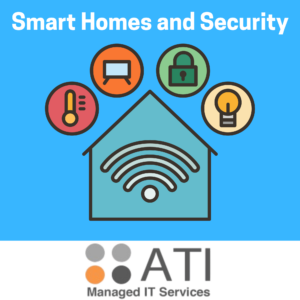
Your digital life is safe and totally private when you have a secure home network. Every day, your smart TVs, computers, and phones are connected to your Wi-Fi. Beyond that, it connects all the smart devices in your home as well like your doorbell and cameras. Since all of these connections are running through a single router, upgrading your router system would make you feel better knowing that your personal information is carefully protected. Now, let’s talk more about how to most effectively optimize your home Wi-Fi security!
Router Specifics
While many individuals tend to update their Wi-Fi password, they miss out on a very important part. Updating the router’s administrator credentials is also imperative for security and access. The router’s control panel can be accessed using these credentials. Right out of the box, devices may contain generic credentials such as “admin” and “password”. It is highly important to change these default credentials to something unique so that your administrative controls are always secured for only your use. Using your web browser, you can access the router’s interface and change the admin password at ease.
WPA3 Encryption
- WPA is short for Wi-Fi Protected Access
- WPA ensures that your data is encrypted so that others may not access your personal information
- Although WPA2 encryption offers good security measures, it is recommended to use WPA3 for better overall results
- WPA3 delivers far stronger encryption and plays a huge role in defending your network.
- Most modern routers’ wireless security settings should have the option to select WPA3.
Network Segmentation
- Some devices on your network may contain more personal information than others and require more trusted security.
- For example, your laptop may have a lot of your personal information, while your smart TV only uses streaming services.
- Securing your smart home devices on a different channel improves security by creating a safe net for your other personal devices.
- Network segmentation involves separating your network into smaller sections like subnetworks.
- For example, one way of practicing network segmentation is using a “Guest Network” feature on your router.
- If you were to designate your primary network only for your computers and phones, and connect your smart TVs and cameras to the guest network, it would allow for better security and less traffic.
- If a problem were to occur with a device that is connected to the “Guest Network,” it would at least be an isolated issue that does not affect your other personal devices.
Securing Your Network
Network security is valuable knowledge that anyone can learn. You can create a very secure network environment so that you will always have peace of mind knowing all of your personal information is protected.
Get in touch with our staff at ATI in Richardson for a friendly security review. We are dedicated to help you keep your information safe with complete peace of mind, and we are excited to assist you in optimizing your network system!